THE WP SMART WORK JOURNAL
Why Does My Website Jump While Loading?
Stop guessing at a jumping page. Find images, banners, embeds and fonts that move content, then reserve the right space.

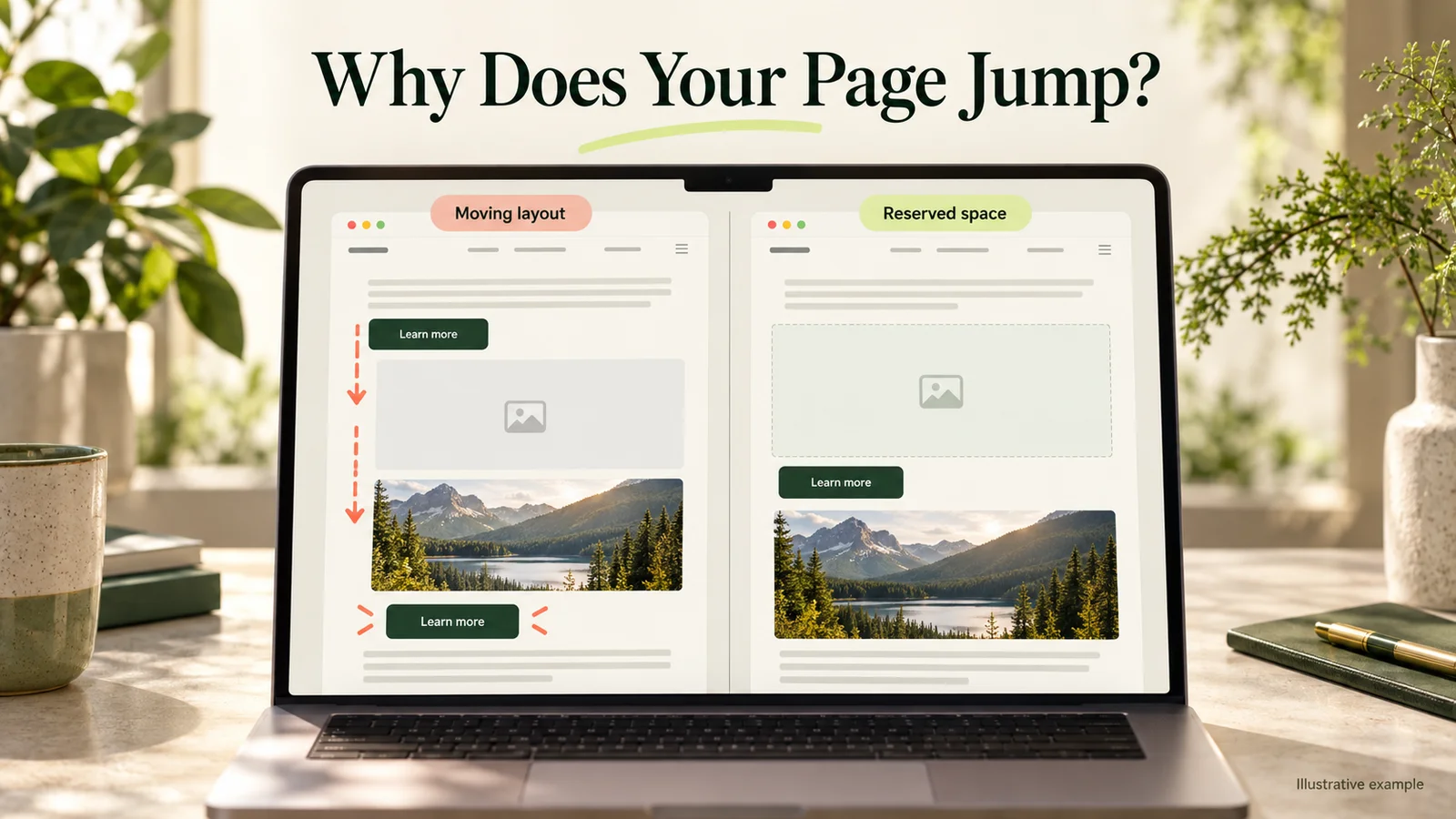
Short answer: a page that jumps while loading often has content arriving without reserved space. Images, embedded tools, banners and fonts can move surrounding text. Find the element causing the movement before adding fixed heights across the entire page.
Watch the page as a visitor
Open a fresh page and read it while it loads. Notice whether the title moves when a banner appears or a button shifts just before you tap. Record the device and the moment of movement. A screenshot of the fully loaded page cannot show this sequence; a short recording or performance trace is more useful.
Reserve image and embed space
Give images appropriate dimensions or an aspect ratio, and allocate a sensible container for embeds. The reserved space should match the final design across breakpoints. A universal fixed pixel height can create clipping on mobile. Google's layout-shift guidance explains the role of unsized media and dynamically inserted content.
Inspect banners and late content
Consent panels, promotional strips, review widgets and personalized messages can alter the page after the first render. Decide whether each belongs in normal flow with reserved space or in a non-obstructive overlay. Do not hide important consent choices or cover essential controls merely to improve a metric.
Check font behaviour
A fallback font and a downloaded font can use different line lengths. This may change heading height and move everything below it. Test the actual fonts on slower connections. Keep the design readable before custom assets arrive and use a developer-led font-loading strategy rather than preloading every font file.
Measure and verify the interaction
CLS is a layout-stability metric, not a complete report on usability. A page can stop jumping but still have a poor mobile menu or an obstructive popup. Retest the precise failure, including the button visitors were trying to use. If large images are also slow, read the performance checklist before layering on another optimization setting.
Can animations cause this?
Some animation methods change layout, while others move an element visually without reflowing the page. That distinction matters. Ask your developer to inspect the implementation and respect reduced-motion preferences. The goal is a comfortable page, not removing all personality. Request a website review with a short recording if you cannot identify what is pushing the content.